
Building AAA Open-World RPGs in Unreal Engine 5
A comprehensive technical guide for creating immersive urban environments with intelligent NPCs, realistic visuals, and scalable performance
Executive Summary
To build a AAA open-world RPG in Unreal Engine 5 with a realistic urban setting, you will leverage UE5's core technologies like Nanite for high-fidelity geometry, Lumen for dynamic lighting, and World Partition for managing large-scale worlds.
Your workflow will be a hybrid of procedural generation using tools like CityBLD and the City Sample project, combined with manual design in UE5 and asset creation in Blender.
For intelligent NPCs, you'll integrate third-party conversational AI like Inworld AI or Convai for key characters and use UE5's native MassAI framework for large-scale crowd and traffic simulation.
Hardware Recommendation:
Use the Dell laptop (RTX 3050 6GB) as your primary development machine for all real-time work. The MacBook Air M1 is best for coding, asset creation, and testing.
Core Technology Stack
Unreal Engine 5 Foundation
Leverage UE5's Nanite for film-quality geometry, Lumen for dynamic lighting, and World Partition for large-scale world management.
Learn more about UE5 architecture →Advanced AI Systems
Integrate conversational AI platforms like Inworld AI for key NPCs and use UE5's MassAI for large-scale crowd simulation.
Explore AI integration →Asset Creation Pipeline
Use MetaHuman Creator for photorealistic characters and Blender for 3D modeling, with seamless UE5 integration.
Master the Blender workflow →RPG Framework Integration
Build upon proven foundations like the ActionRPG_UE5 project and community-driven frameworks that implement the Gameplay Ability System (GAS) for complex character mechanics.
Core Mechanics
- • Character stats and progression
- • Inventory and equipment systems
- • Ability frameworks
Technical Foundation
- • C++ and Blueprint integration
- • Enhanced Input System
- • Modular architecture
Hardware Optimization Strategy
MacBook Air M1 Constraints
8GB RAM Shared Architecture
- Limited Use: Not suitable for real-time UE5 development due to memory constraints
- Nanite/Lumen: Unsupported or limited functionality on Apple Silicon
- Best For: Blender modeling, coding, testing
Dell RTX 3050 Capabilities
Primary Development Machine
- Core Features: Full Nanite and Lumen support with DirectX 12
- Limitation: 6GB VRAM requires optimization discipline
- Ideal For: All real-time editor work and level design
Performance Optimization Techniques
LOD Systems
Implement automated Level of Detail systems with Hierarchical LOD (HLOD) for distant object clustering.
r.StaticMeshLODDistanceScale
r.ForceLOD
Level Streaming
Use World Partition for automatic cell-based streaming and distance-based culling.
Frustum & Occlusion Culling
Engine Settings
Enable TSR/DLSS for performance, optimize Lumen quality, and manage shadow resolution.
Virtual Shadow Maps
Building the Urban Open World
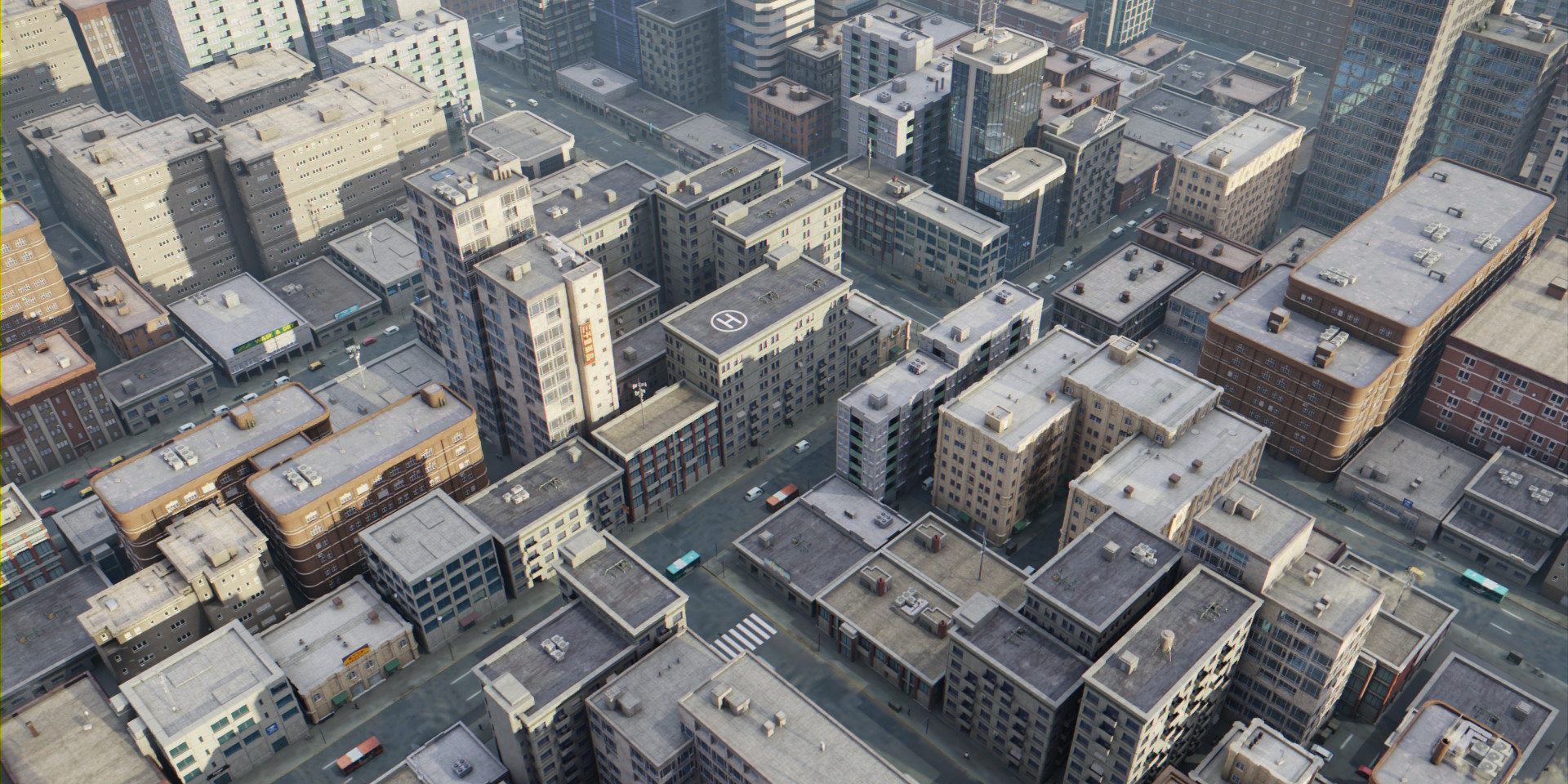
Procedural City Generation
Create vast urban environments efficiently using tools like CityBLD for procedural generation and the City Sample project for Houdini-based workflows.
CityBLD Workflow
- • Spline-based road network creation
- • Automatic district and building generation
- • Architectural style customization
- • ISM conversion for performance
City Sample Integration
- • Houdini procedural data generation
- • Point cloud to instance conversion
- • Rule Processor for asset placement
- • Integrated AI traffic systems
Manual Level Design
Combine procedural generation with hand-crafted level design for key locations, using UE5's World Partition for collaborative editing.
Design Workflow
Real-World Data Integration
OpenStreetMap Integration
Use the Blender-OSM add-on to import real-world geographic data, creating accurate urban layouts that can be enhanced with custom assets.
View OSM workflow examples →CAD/BIM Import
Leverage Datasmith to import architectural models from AutoCAD, Revit, and SketchUp with preserved metadata and hierarchies.
Explore Datasmith workflow →Core Gameplay Systems
Character & Physics Systems
Advanced Movement
Implement parkour systems using the Character class and Enhanced Input System for responsive controls.
Vehicle Physics
Use Chaos Vehicle plugin for realistic handling, with configurable parameters for different vehicle types.
Combat Systems
Implement GAS-based combat with melee and ranged mechanics, weapon modifications, and special abilities.
RPG Mechanics
Inventory & Equipment
Comprehensive inventory system with visual equipment, bag upgrades, and modification tables.
Quest & Dialogue
Data-driven quest system with branching dialogue and AI conversation integration.
Character Progression
Stat-based progression with visual skill trees and attribute customization.
Cinematic Tools
Dynamic Camera System
Spring Arm components with collision avoidance, physics-based camera movement, and dynamic cutscene transitions.
CameraComponent + SpringArmComponent
Sequencer Integration
Non-linear cinematic editor for creating in-game cutscenes with MetaHuman integration and real-time rendering.
Advanced AI Integration

Conversational AI for Key NPCs
Integrate platforms like Inworld AI and Convai to create NPCs with distinct personalities, memories, and dynamic dialogue capabilities.
MetaHuman Integration
Connect AI to MetaHuman facial animation, lip-sync, and body gestures
Personality Configuration
Define traits, motivations, and relationships using natural language
Memory Systems
NPCs remember player interactions and reference past events
MassAI for Urban Simulation
Use UE5's MassAI framework for large-scale crowd and traffic simulation, creating a living city with thousands of entities.
ZoneGraph Navigation
Define walkable areas, sidewalks, and traffic lanes for AI movement
State Tree Behaviors
Flexible state management for pedestrian activities and reactions
Smart Object Interaction
AI entities interact with benches, vendors, and other environmental objects
Tiered AI Architecture
Key NPCs
Advanced conversational AI with complex behavior trees and memory systems
Ambient Crowds
MassAI simulation with distance-based LOD and procedural behaviors
Traffic Systems
Vehicle AI with lane-based navigation and traffic rules
Visual Fidelity & Rendering
Nanite Geometry
Render film-quality assets with billions of polygons without performance impact. Eliminates LOD creation and optimization work.
Lumen Lighting
Fully dynamic global illumination with real-time light bounce calculations. Perfect for day/night cycles and dynamic environments.
TSR Upscaling
Temporal Super Resolution for high-quality upsampling. Render at lower resolution for performance while maintaining visual quality.
Atmosphere & Materials
Atmospheric Systems
- • Physically-based Sky Atmosphere
- • Volumetric Cloud rendering
- • Exponential Height Fog
- • Dynamic day/night transitions
PBR Materials
- • Quixel Megascans integration
- • Material Editor node networks
- • Dynamic material effects
- • Texture atlas optimization
Post-Processing Pipeline
Bloom
Light glow and emissive materials
Depth of Field
Cinematic focus effects
Color Grading
Mood and atmosphere control
Motion Blur
Realistic camera effects
Team Collaboration & Workflow
Version Control Strategy
Use Git for version control with One File Per Actor (OFPA) system to enable simultaneous level editing without conflicts.
OFPA Benefits
- • Multiple developers can edit same level
- • Smaller commit sizes and faster sync
- • Reduced merge conflicts
- • Better version control integration
Asset Management
- • Use Polygonflow Dash for asset library
- • Centralized search across projects
- • Marketplace integration
- • Procedural placement tools
Blender to UE5 Pipeline
Streamline asset creation with a robust workflow from Blender to Unreal Engine 5, ensuring optimal performance and quality.
Export Best Practices
- • Clean geometry with proper UVs
- • Correct scale and orientation
- • Rigify for character rigs
- • "Send to Unreal" add-on automation
Import Optimization
- • Automatic LOD generation
- • Collision mesh creation
- • Material setup and optimization
- • Texture atlas generation
Development Workflow
Primary Workstation (Dell RTX 3050)
- • Real-time editor work
- • Level design and lighting
- • Blueprint scripting
- • Performance testing
- • Windows build packaging
Secondary Workstation (MacBook M1)
- • Blender asset creation
- • C++ coding and scripting
- • Documentation and planning
- • Performance optimization testing
- • Project management
Key Success Factors
Balance visual quality with hardware limitations
Maintain consistent art style across all assets
Leverage each team member's strengths
